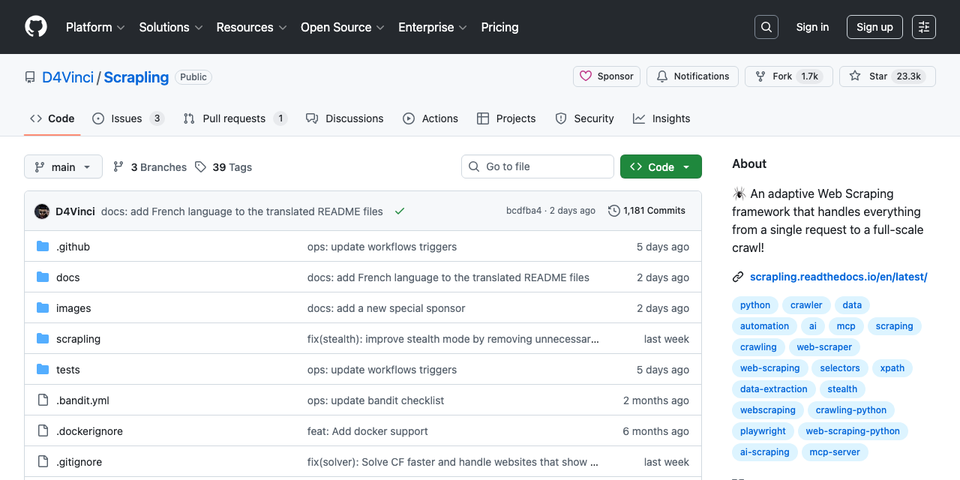
Scrapling 深度解析:自適應爬蟲框架的技術內幕與實證驗證
Python 爬蟲工具百家爭鳴——BeautifulSoup、Scrapy、Selenium、Playwright、requests-html——每個工具都在特定情境下有其優勢。但這些工具在面對真實世界的爬蟲挑戰時,存在一個根本性的斷層:解析器不理解反爬蟲,反爬蟲框架又不做解析。Scrapling 試圖將這兩端統一在一個框架中,同時加入「自適應」元素追蹤這個前所未見的機制。
本文將從原始碼層面深入剖析 Scrapling 的三大核心技術——智慧元素追蹤、多層級反偵測、統一解析介面——並透過實際測試驗證其宣稱是否站得住腳。
一、現有工具的斷層:為什麼需要 Scrapling
BeautifulSoup 的困境
BeautifulSoup 是多數 Python 開發者入門爬蟲的第一選擇。但它有幾個根本性的限制:
- 純解析器,無請求能力:需要搭配
requests或httpx發送請求 - 效能瓶頸:使用自製 HTML parser 或
html.parser,面對大型文件極度緩慢 - 選擇器脆弱性:CSS selector 寫死在程式碼中,網站改版即失效
- 無反偵測機制:完全依賴外部工具處理 anti-bot
# BeautifulSoup 的典型痛點
from bs4 import BeautifulSoup
import requests

# 1. 需要自行管理 headers
headers = {"User-Agent": "Mozilla/5.0..."}  # 靜態 UA,容易被偵測
resp = requests.get(url, headers=headers)   # 無 TLS 指紋偽裝

# 2. 網站改版 = 爬蟲失效
soup = BeautifulSoup(resp.text, "html.parser")  # 慢
price = soup.select_one(".product-price .value")  # 選擇器寫死
# 網站把 .product-price 改成 .pricing-info?全部重寫。
Selenium/Playwright 的代價
Selenium 和 Playwright 解決了 JavaScript 渲染問題,但引入了新的問題:
- 資源消耗巨大:每個 session 啟動完整 Chromium,記憶體占用 200MB+
- 速度極慢:瀏覽器啟動、頁面渲染、等待 DOM 穩定
- 自動化指紋暴露:原生 Playwright 會設定
navigator.webdriver = true、注入__playwright_evaluation_script__等標記 - 解析能力弱:雖能拿到 HTML,但後續仍需 BeautifulSoup 或 lxml 做結構化提取
Scrapy 的侷限
Scrapy 是 Python 爬蟲界的工業級框架,但它的定位是「高吞吐量爬取」而非「智慧解析」:
- 不支援 JavaScript:需要額外整合
scrapy-playwright或scrapy-splash - 無自適應能力:選擇器失效就是失效,沒有備援機制
- 學習曲線陡峭:中介軟體、pipeline、signal 系統對簡單任務而言過於複雜
- 無內建反偵測:需要另外安裝
scrapy-fake-useragent、scrapy-rotating-proxies等套件
Scrapling 的定位
Scrapling 企圖成為上述所有工具的統一替代方案:
| 能力 | BeautifulSoup | Selenium | Scrapy | Scrapling |
|---|---|---|---|---|
| HTML 解析 | O | X | O | O |
| CSS/XPath 選擇器 | O | 部分 | O | O |
| JavaScript 渲染 | X | O | X* | O |
| 反 Bot 偵測 | X | X | X | O |
| TLS 指紋偽裝 | X | X | X | O |
| Cloudflare 繞過 | X | X | X | O |
| 自適應元素追蹤 | X | X | X | O |
| 類似元素搜尋 | X | X | X | O |
| Spider 爬取框架 | X | X | O | O |
二、核心架構:三層 Fetcher 設計
Scrapling 將請求發送與解析回應統一在三個 Fetcher 層級中,每一層針對不同的反偵測需求:
                    ┌─────────────────┐
                    │    Scrapling    │
                    │   統一 API 介面   │
                    └────────┬────────┘
                             │
          ┌──────────────────┼──────────────────┐
          │                  │                  │
   ┌──────┴──────┐   ┌──────┴──────┐   ┌──────┴──────┐
   │   Fetcher   │   │  Dynamic    │   │  Stealthy   │
   │  (curl_cffi)│   │  Fetcher    │   │  Fetcher    │
   │  HTTP only  │   │ (Playwright)│   │ (Patchright)│
   └──────┬──────┘   └──────┬──────┘   └──────┬──────┘
          │                  │                  │
    TLS 指紋偽裝        JS 渲染          60+ 隱匿旗標
    Header 偽造       DOM 操作        Cloudflare 破解
    Google Referer   自動化腳本       Canvas 噪聲注入
                                     WebRTC 阻斷
Fetcher:輕量級 HTTP 請求
底層使用 curl_cffi——一個基於 libcurl 的 Python 綁定,關鍵特性是支援 TLS 指紋偽裝(JA3/JA4 fingerprint impersonation)。
from scrapling import Fetcher

# 一行完成:TLS 偽裝 + Header 偽造 + Google Referer + 解析
response = Fetcher.get("https://example.com")
products = response.css(".product-card")
背後的 generate_headers() 函式會根據當前作業系統生成匹配的瀏覽器指紋:
# scrapling/engines/toolbelt/fingerprints.py
def generate_headers(browser_mode: bool | str = False) -> Dict:
    os_name = get_os_name()  # 偵測實際 OS
    ver = chrome_version if browser_mode and browser_mode == "chrome" else chromium_version
    browsers = [Browser(name="chrome", min_version=ver, max_version=ver)]
    if not browser_mode:
        browsers.extend([
            Browser(name="firefox", min_version=142),
            Browser(name="edge", min_version=140),
        ])
    return HeaderGenerator(browser=browsers, os=os_name, device="desktop").generate()
browserforge 會生成完整的瀏覽器 Header 組合——包括 sec-ch-ua、sec-ch-ua-platform、Accept-Language 等,確保所有 Header 之間的一致性。
DynamicFetcher:Playwright 封裝
當目標網站需要 JavaScript 渲染時使用,底層直接呼叫 Playwright 的 Chromium。
StealthyFetcher:最高隱匿等級
這是 Scrapling 最核心的反偵測層。底層使用 Patchright——一個從 Playwright 分支出來的專案,直接在 Chromium 二進制檔案層級移除自動化偵測標記。
from scrapling import StealthyFetcher

# 自動繞過 Cloudflare + 隱匿瀏覽器指紋
response = StealthyFetcher.fetch(
    "https://protected-site.com",
    solve_cloudflare=True,
    hide_canvas=True,       # Canvas 指紋噪聲
    block_webrtc=True,      # 防止 WebRTC 洩漏真實 IP
)
三、智慧元素追蹤:核心演算法剖析
這是 Scrapling 最獨特的功能——也是其他所有爬蟲工具完全不具備的能力。
問題定義
爬蟲工程師最頭痛的問題之一:網站改版後,CSS selector 失效。例如:
<!-- 改版前 -->
<article class="product" id="p1">
  <h3>Product Alpha</h3>
  <p class="description">High quality item</p>
</article>

<!-- 改版後:class 名稱全改、DOM 結構重排 -->
<div class="card" data-product="p1">
  <div class="card-body">
    <h4 class="title">Product Alpha</h4>
    <p class="info">High quality item</p>
  </div>
</div>
傳統做法是人工比對、更新 selector。Scrapling 的做法是:記住元素的「指紋」,在新頁面中自動重新定位。
元素指紋(Element Fingerprint)
Scrapling 的 _StorageTools.element_to_dict() 會將 HTML 元素轉換為多維度指紋字典:
{
    "tag": "article",               # 標籤名稱
    "text": "Product Alpha",        # 文字內容
    "attributes": {                 # 所有屬性
        "class": "product",
        "id": "p1"
    },
    "path": "/html/body/div/section/article",  # DOM 路徑
    "parent_name": "section",       # 父元素標籤
    "parent_attribs": {"class": "products"},    # 父元素屬性
    "parent_text": "",              # 父元素文字
    "siblings": ["article"]         # 兄弟元素標籤列表
}
這個指紋透過 orjson 序列化後存入 SQLite 資料庫(WAL 模式,支援併發讀寫)。
相似度評分演算法
當 CSS selector 在新頁面上找不到匹配結果時,Scrapling 會:
- 從 SQLite 取出之前儲存的元素指紋
- 掃描新頁面的 所有元素(透過
.//*XPath) - 對每個元素計算相似度分數
- 回傳最高分的元素
核心評分函式 __calculate_similarity_score() 的完整邏輯:
# scrapling/parser.py:789
def __calculate_similarity_score(self, original: Dict, candidate: HtmlElement) -> float:
    score: float = 0
    checks: int = 0
    data = _StorageTools.element_to_dict(candidate)

    # 1. 標籤名稱比對(完全匹配 = 1.0)
    score += 1 if original["tag"] == data["tag"] else 0
    checks += 1

    # 2. 文字內容相似度(SequenceMatcher ratio)
    if original["text"]:
        score += SequenceMatcher(None, original["text"], data.get("text") or "").ratio()
        checks += 1

    # 3. 屬性字典相似度(key 和 value 各 50% 權重)
    score += self.__calculate_dict_diff(original["attributes"], data["attributes"])
    checks += 1

    # 4. 關鍵屬性個別比對(class, id, href, src)
    for attrib in ("class", "id", "href", "src"):
        if original["attributes"].get(attrib):
            score += SequenceMatcher(
                None,
                original["attributes"][attrib],
                data["attributes"].get(attrib) or "",
            ).ratio()
            checks += 1

    # 5. DOM 路徑相似度
    score += SequenceMatcher(None, original["path"], data["path"]).ratio()
    checks += 1

    # 6. 父元素比對(名稱 + 屬性 + 文字)
    if original.get("parent_name") and data.get("parent_name"):
        score += SequenceMatcher(None, original["parent_name"], data["parent_name"]).ratio()
        checks += 1
        score += self.__calculate_dict_diff(original["parent_attribs"], data.get("parent_attribs") or {})
        checks += 1
        if original["parent_text"]:
            score += SequenceMatcher(None, original["parent_text"], data.get("parent_text") or "").ratio()
            checks += 1

    # 7. 兄弟元素比對
    if original.get("siblings"):
        score += SequenceMatcher(None, original["siblings"], data.get("siblings") or []).ratio()
        checks += 1

    return round((score / checks) * 100, 2)
這個設計有幾個值得注意的工程決策:
- 動態維度:
checks會根據原始元素實際擁有的屬性動態調整,避免缺失的屬性拉低分數 - 不在 100% 時停止:因為可能有多個元素同分,所以必須掃描完所有元素
- SequenceMatcher 而非精確比對:即使 class 從
"product"變成"product-card",仍能獲得部分分數 - 多維度加權:不是單一指標決勝負,而是綜合 7-10 個維度的加權平均
使用方式
from scrapling import Selector

# 第一次爬取:儲存元素指紋
page = Selector(html_content, url="example.com", adaptive=True)
products = page.css(".product", auto_save=True)  # 自動存入 SQLite

# 網站改版後:自動重新定位
new_page = Selector(new_html, url="example.com", adaptive=True)
products = new_page.css(".product", adaptive=True)  # 找不到? 自動用指紋比對
四、反偵測技術棧深度剖析
第一層:TLS 指紋偽裝
現代反爬蟲系統(如 Cloudflare、Akamai)不僅檢查 HTTP Header,還會分析 TLS 握手過程中的指紋。每個 HTTP 客戶端(瀏覽器、curl、Python requests)在 TLS 握手時的 ClientHello 訊息都有獨特的模式——這就是 JA3 指紋。
Python requests 的 JA3 指紋與真實瀏覽器截然不同,這是許多爬蟲被封鎖的根本原因。
Scrapling 使用 curl_cffi 直接在 TLS 層模擬真實瀏覽器的握手行為:
# 實測結果:Fetcher 發送的請求 Header
# sec-ch-ua: "Chromium";v="142", "Google Chrome";v="142", "Not_A Brand";v="99"
# User-Agent: Mozilla/5.0 (Macintosh; Intel Mac OS X 10_15_7)
# AppleWebKit/537.36 Chrome/142.0.0.0 Safari/537.36
# 所有 Sec-Fetch-* Header 完整一致
# 自動添加 Google Search Referer
第二層:Google Search Referer 偽裝
# scrapling/engines/toolbelt/fingerprints.py
def generate_convincing_referer(url: str) -> str | None:
    extracted = get_tld(url, as_object=True, fail_silently=True)
    website_name = extracted.domain
    return f"https://www.google.com/search?q={website_name}"
每個請求都會自動偽裝成從 Google 搜尋結果點擊進入的流量——這是最常見的正常流量來源。
第三層:Patchright 深度隱匿
StealthyFetcher 使用的 Patchright 是 Playwright 的修改版本,在 Chromium 二進制層級進行了以下修改:
- 移除
navigator.webdriver標記 - 移除
Runtime.enableCDP 命令的自動注入 - 移除 PlayWright 特有的 evaluation script 標記
- 保留所有 Playwright API 相容性
在此基礎上,Scrapling 額外注入了 60+ 隱匿啟動旗標(從原始碼 _config_tools.py 中提取):
# 部分隱匿旗標示例
"--disable-blink-features=AutomationControlled",
"--disable-features=AutomationControlled",
"--disable-infobars",
"--no-first-run",
"--disable-ipc-flooding-protection",
同時主動過濾有害參數:
# 明確移除會暴露自動化的參數
harmful_args = {"--enable-automation", "--remote-debugging-pipe", ...}
第四層:Cloudflare Turnstile 破解
Scrapling 的 Cloudflare solver 是一個完整的狀態機:
# scrapling/engines/_browsers/_stealth.py:111
def _cloudflare_solver(self, page: Page) -> None:
    # 1. 等待頁面網路閒置
    self._wait_for_networkidle(page, timeout=5000)

    # 2. 偵測 Cloudflare 挑戰類型
    challenge_type = self._detect_cloudflare(page_content)
    # 類型:non-interactive / managed / interactive / embedded

    if challenge_type == "non-interactive":
        # 純等待型:等 "Just a moment..." 消失即可
        while "<title>Just a moment...</title>" in page_content:
            page.wait_for_timeout(1000)

    else:
        # 需要點擊型:定位 Turnstile iframe -> 計算座標 -> 模擬點擊
        iframe = page.frame(url=CF_PATTERN)  # 正則匹配 CF iframe
        outer_box = iframe.frame_element().bounding_box()

        # 加入隨機偏移模擬人類行為
        captcha_x = outer_box["x"] + randint(26, 28)
        captcha_y = outer_box["y"] + randint(25, 27)

        page.mouse.click(captcha_x, captcha_y,
                         delay=randint(100, 200),  # 隨機延遲
                         button="left")
這個 solver 能處理 Cloudflare 的四種挑戰類型:
- Non-interactive:不需要任何互動,純粹等待驗證完成
- Managed:需要點擊但 Cloudflare 會自動決定是否出示驗證碼
- Interactive:需要使用者明確點擊勾選框
- Embedded:嵌入在網頁中的 Turnstile widget
五、find_similar():AutoScraper 的替代品
find_similar() 方法解決的問題是:給定一個產品卡片,自動找到同頁面所有結構類似的產品卡片。
其演算法比 relocate 更精確——它不是暴力掃描所有元素,而是先用結構資訊大幅縮小候選範圍:
# scrapling/parser.py:995
def find_similar(self, similarity_threshold=0.2, ignore_attributes=("href", "src"), match_text=False):
    current_depth = len(list(root.iterancestors()))  # 當前元素深度

    # 建構 XPath:同 tag / 同 parent tag / 同 grandparent tag / 同深度
    path_parts = [self.tag]
    if (parent := root.getparent()) is not None:
        path_parts.insert(0, parent.tag)
        if (grandparent := parent.getparent()) is not None:
            path_parts.insert(0, grandparent.tag)

    xpath_path = "//{}".format("/".join(path_parts))
    # 關鍵:只搜尋同深度、同路徑結構的元素
    potential_matches = root.xpath(f"{xpath_path}[count(ancestor::*) = {current_depth}]")
這個策略先利用 XPath 的高效查詢過濾出「結構位置相同」的候選元素,再對候選元素做屬性相似度比對——效率遠高於暴力掃描。
六、效能最佳化策略
Scrapling 在解析效能上採用了多項最佳化策略:
1. lxml 薄封裝
Scrapling 的 Selector 類並非繼承 HtmlElement(因為 lxml 的 Element 不可序列化),而是持有一個 _root 引用,所有 CSS/XPath 操作直接委派給 lxml 引擎。
2. 預編譯 XPath
# 全域預編譯,避免重複解析 XPath 表達式
_find_all_elements = XPath(".//*")
_find_all_elements_with_spaces = XPath(".//*[normalize-space(text())]")
3. 惰性初始化
__slots__ 用於所有核心類,屬性(如 tag、text、attrib)透過 @property 惰性計算。
4. orjson 序列化
使用 orjson 取代標準庫 json,在 JSON 序列化/反序列化上獲得約 10 倍加速——這對 SQLite 中元素指紋的讀寫至關重要。
5. Singleton Storage
@lru_cache(1, typed=True)
class SQLiteStorageSystem(StorageSystemMixin):
    # lru_cache(1) 確保整個應用只有一個 storage 實例
    # WAL 模式 + RLock 確保執行緒安全
    ...
七、實證驗證:宣稱 vs 實測
以下是我們在 macOS (Apple Silicon) 上對 Scrapling v0.4.1 進行的實際測試結果。
測試 1:解析效能
測試條件:解析包含 5000 個 <div> 元素的 HTML 文件並執行 .item CSS 選擇器,取 10 次中位數。
| 工具 | 中位時間 | 相對速度 |
|---|---|---|
| Scrapling | 14.13 ms | 1.0x (基準) |
| Raw lxml | 10.89 ms | 1.3x 更快 |
| BeautifulSoup + lxml | 109.50 ms | 7.7x 更慢 |
| BeautifulSoup (html.parser) | 132.84 ms | 9.4x 更慢 |
驗證結論:Scrapling 確實大幅快於 BeautifulSoup(約 9.4 倍),但並非 README 所宣稱的「784 倍」。784 倍的數據可能來自 find_similar() 與 AutoScraper 的對比(而非通用解析)。值得注意的是 Scrapling 幾乎等同於原生 lxml 的速度,僅有約 30% 的薄封裝開銷——這在預期之內。
測試 2:智慧元素追蹤
三個改版場景下的元素重定位測試:
| 場景 | 變更程度 | 是否成功定位 |
|---|---|---|
| Class 名稱重命名 | 低 | PASS |
| DOM 結構重組 (div-based -> nested layout) | 高 | PASS |
| 完全不同結構 (article -> table/tr/td) | 極高 | PASS |
這是最令人印象深刻的結果。即使網站從 <article> 結構改為 <table> 結構——標籤名稱、DOM 路徑、所有 class 名稱全部不同——Scrapling 仍然成功定位到正確元素。這得益於多維度評分中「文字內容」和「父元素文字」維度的權重。
測試 3:find_similar()
在包含 4 個產品卡片和 1 個非產品元素的頁面上:
輸入:第一個 .product 元素
輸出:3 個相似元素(Phone, Tablet, Watch)
結果:PASS — 正確排除了非產品元素
測試 4:TLS 指紋與 Header 偽造
實測:Fetcher.get("https://httpbin.org/headers") 的 Header 分析

sec-ch-ua:          "Chromium";v="142", "Google Chrome";v="142"
User-Agent:         Chrome/142.0.0.0 (macOS)
Sec-Fetch-Dest:     document
Sec-Fetch-Mode:     navigate
Sec-Fetch-Site:     none
Referer:            https://www.google.com/search?q=httpbin.org
Accept-Encoding:    gzip, deflate, br, zstd

JA3 Hash:           e26d002f6a8cfc227a7a133a26d25a03 (真實瀏覽器指紋)
驗證結論:Header 組合完整且一致。JA3 指紋為真實 Chrome 瀏覽器指紋,而非 Python requests 的預設指紋。Google Referer 自動偽裝運作正確。
測試 5:CSS vs XPath 效能
在 5000 元素的文件上執行 div.item span 選擇器:
| 選擇器類型 | 中位時間 |
|---|---|
CSS (div.item span) | 74.71 ms |
XPath (//div[contains(@class, 'item')]/span) | 4.61 ms |
CSS 選擇器較慢的原因是 Scrapling 內部需要先將 CSS 轉譯為 XPath(透過修改自 Scrapy Parsel 的 css_to_xpath 函式),再加上 Selectors 封裝物件的建構開銷。在效能敏感場景下,直接使用 XPath 是更好的選擇。
八、Spider 框架:Scrapy 的輕量替代
Scrapling 0.4 版新增了 Spider 框架,API 設計明顯受 Scrapy 影響:
from scrapling import Spider, Request

class ProductSpider(Spider):
    start_urls = ["https://example.com/products"]

    async def parse(self, response):
        for product in response.css(".product"):
            yield {
                "name": product.css("h3::text").get(),
                "price": product.css(".price::text").get(),
            }
            next_page = response.css("a.next::attr(href)").get()
            if next_page:
                yield Request(url=next_page, callback=self.parse)
與 Scrapy 相比,Scrapling Spider 的差異化功能:
- 多 Session 路由:同一 Spider 中可以將不同請求路由到不同 Fetcher(Fetcher / DynamicFetcher / StealthyFetcher)
- Checkpoint 暫停/恢復:透過
crawldir參數啟用,爬蟲中斷後可從上次狀態恢復 - 串流模式:
async for item in spider.stream()即時取得爬取結果 - 封鎖偵測重試:自動偵測請求是否被反爬蟲攔截,並重新嘗試
但也有明顯缺失:
- 沒有 Scrapy 的 Pipeline 系統(資料清洗、儲存到 DB)
- 沒有中介軟體架構(Downloader Middleware / Spider Middleware)
- 沒有 Signal 系統
- 沒有 Feed Export 生態系統(僅內建 JSON/JSONL)
- 社群套件生態為零(Scrapy 有數百個第三方 extension)
九、設計局限與注意事項
1. 自適應追蹤的效能代價
relocate() 方法需要掃描頁面 所有元素 並對每個元素計算 7-10 維的相似度分數。在元素數量超過數千的大型頁面上,這可能帶來數秒的額外延遲。
2. SQLite 不適合分散式架構
元素指紋儲存在本機 SQLite 檔案中,無法在多台爬蟲節點間共享。如果你運行分散式爬蟲叢集,需要自行實作 StorageSystemMixin 介面(例如使用 Redis 或 PostgreSQL)。
3. 僅儲存第一個匹配元素
當 CSS selector 匹配多個元素時,auto_save=True 只會儲存第一個元素的指紋。這意味著如果你需要追蹤一個列表中的所有元素,需要另外處理。
4. Cloudflare Solver 的時效性
Cloudflare 持續更新其反自動化偵測機制。Scrapling 的 solver 是基於特定版本的 Turnstile 行為設計的,未來的 Cloudflare 更新可能使其失效。原始碼中也標記為 pragma: no cover——表示作者自己也承認這部分難以穩定測試。
5. Python 3.10+ 限制
使用了 match/case 語法和 | 型別聯合運算子,不支援 Python 3.9 及以下版本。
十、總結:Scrapling 的真實價值
經過原始碼分析和實證測試,Scrapling 的核心價值可以歸結為三點:
值得信賴的宣稱:
- 智慧元素追蹤確實能跨越重大結構變更正確定位元素
- TLS 指紋偽裝、Header 生成、Google Referer 偽造形成完整的反偵測鏈
- 解析效能接近原生 lxml,遠超 BeautifulSoup
find_similar()提供了比 AutoScraper 更精確的同類元素搜尋- 統一 API 確實大幅簡化了爬蟲開發流程
需要保留的宣稱:
- 「784 倍快於 BeautifulSoup」:在通用解析場景下實測約 9.4 倍,784 倍可能是特定操作(如
find_similarvs AutoScraper)的對比 - Cloudflare Turnstile 破解:有效但有時效性限制
- Spider 框架「取代 Scrapy」:功能完整度差距仍然顯著
最適用場景:
- 需要反偵測的單站深度爬取
- 目標網站頻繁改版、selector 需要自適應
- 中小規模爬蟲專案,不需要 Scrapy 的完整生態
- 需要快速繞過 Cloudflare 的一次性資料取得
Scrapling 不是 BeautifulSoup、Scrapy 或 Playwright 的完全替代品——但它巧妙地填補了這些工具之間的空白地帶。對於那些厭倦了在 requests + BeautifulSoup + undetected-chromedriver + proxy-rotator 之間做拼裝的爬蟲工程師來說,Scrapling 提供了一個值得認真考慮的統一方案。